Skip to content

How it works

From a look on screen to a garment in hand.

One loop connects the shopper to your sales floor — and captures the sale at the end. Here it is step by step, on both the mirror and the phone.

  1. Scan or Tap

    Open Mirraa from the store's QR code or in-store screen.

  2. Try It

    Select a garment and see it rendered on yourself.

  3. Find It

    Choose the garment you want to buy.

  4. Bring It to Me

    The store team receives the request and locates the garment.

  5. Close the Sale

    Try it physically, purchase it, and complete the experience.

A — Mirraa AI Mirror experience

On the in-store screen.

The shopper walks up to the mirror and is wearing the garment within seconds. Nothing to install, nothing to learn.

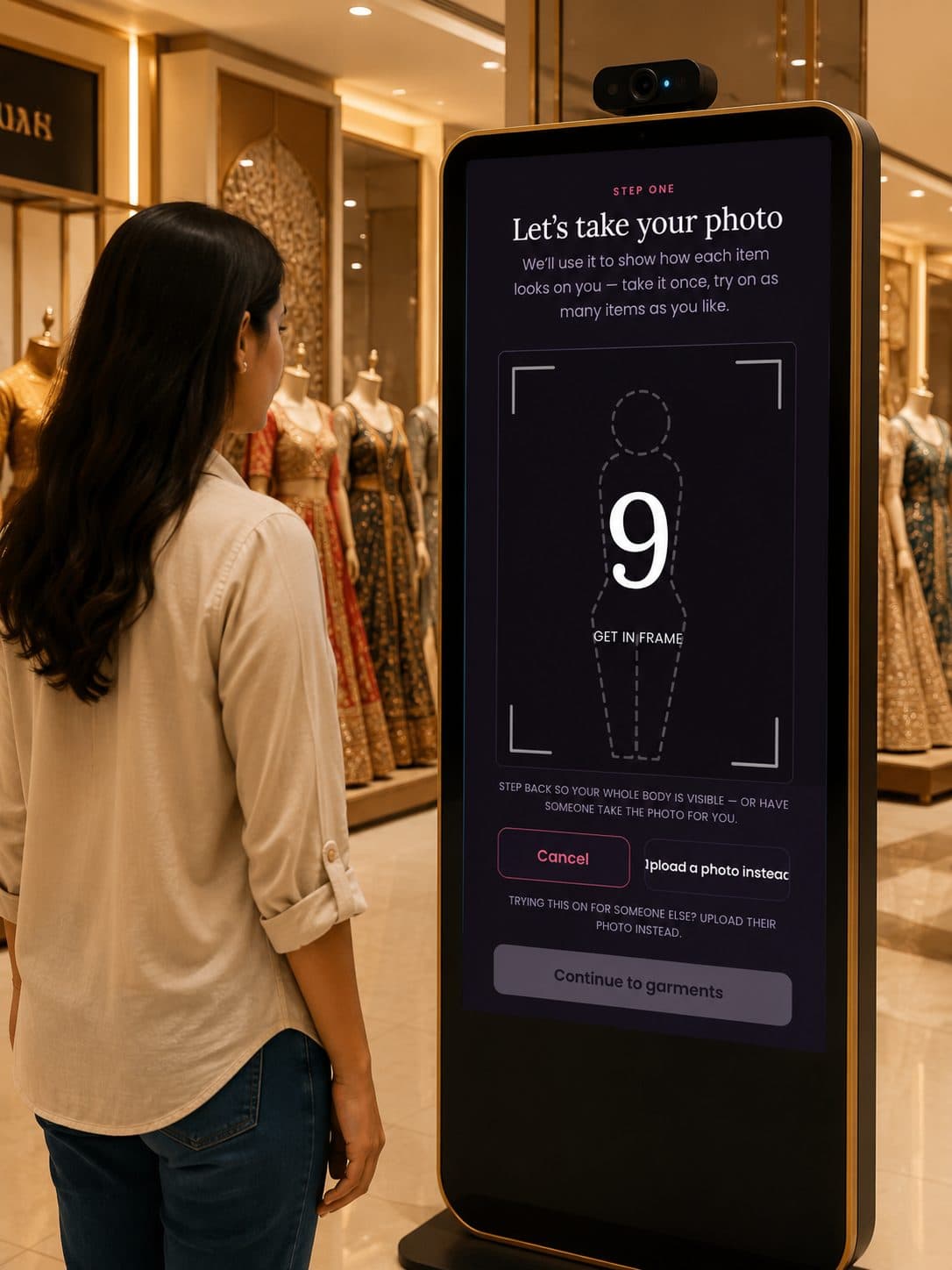
Shopper at the Mirraa welcome screen
StartThe shopper walks up to the screen and taps Start try-on.
Countdown to take the shopper's photo
Take a photoOne full-body capture — taken once, then reused across every item they try.
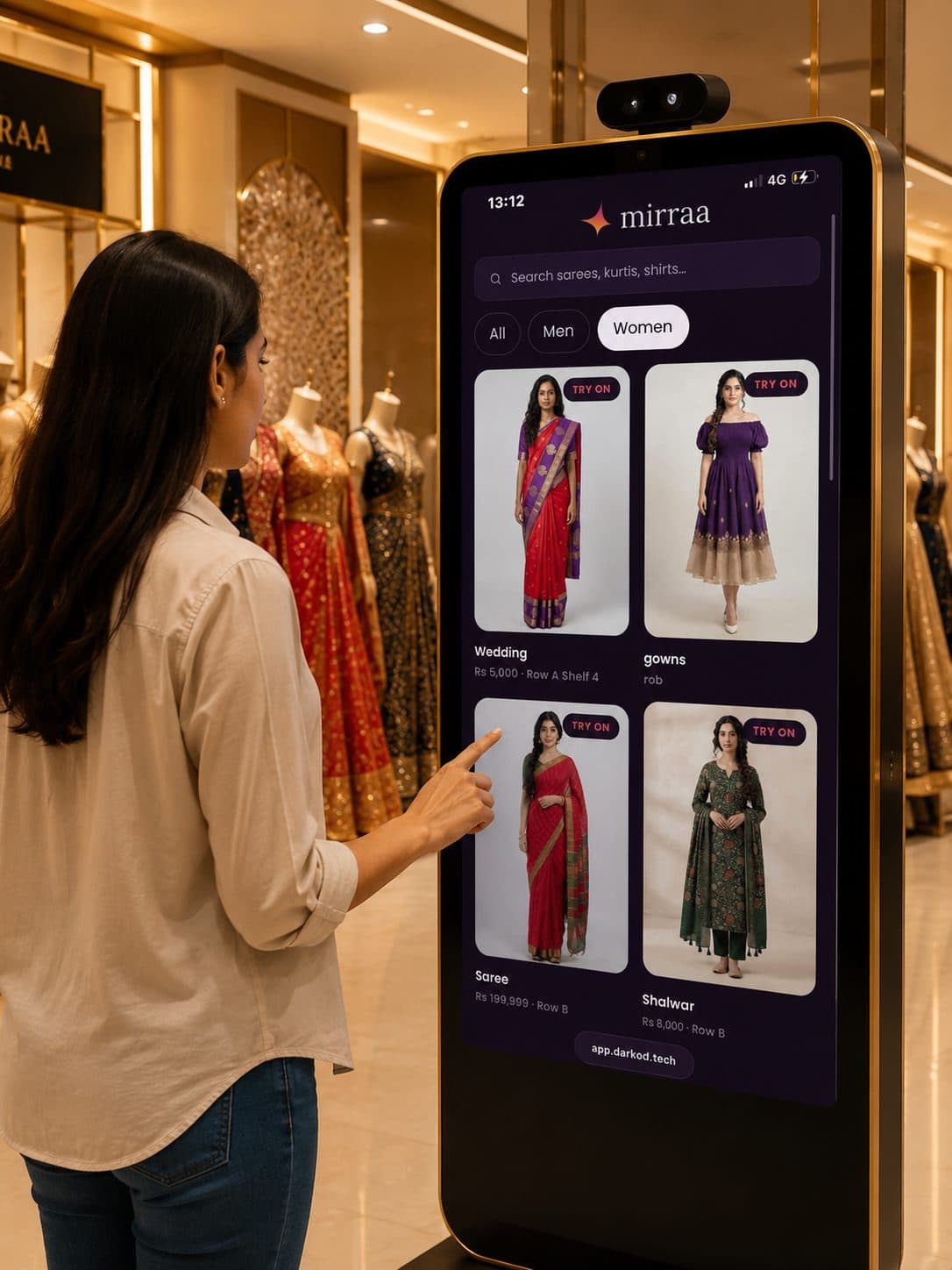
Browsing the store catalogue on the screen
See the catalogueYour live range loads with prices and rack IDs.
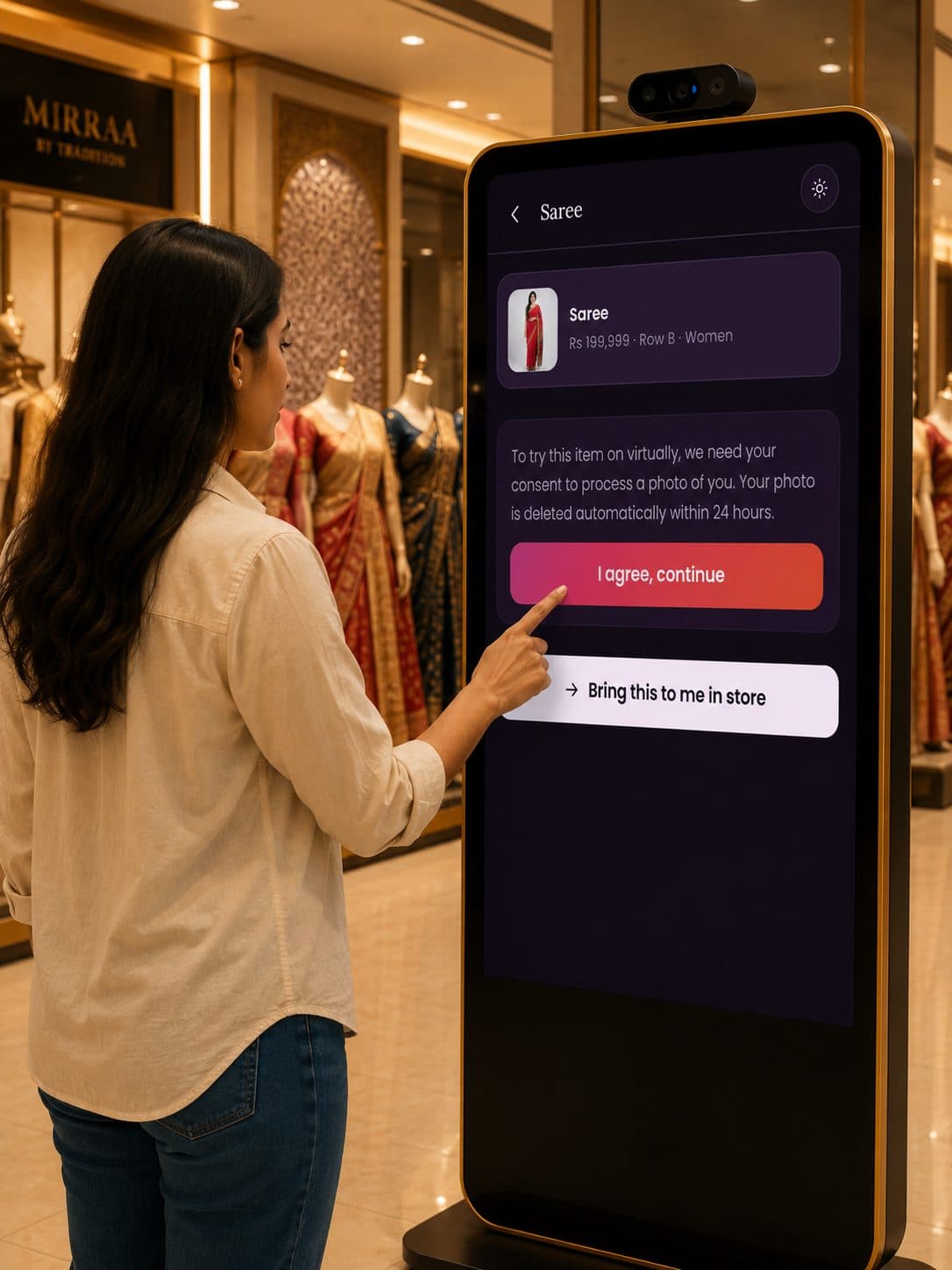
Choosing a garment and giving consent
Choose the itemThey pick a piece and agree to a quick, privacy-safe photo — deleted within 24 hours.
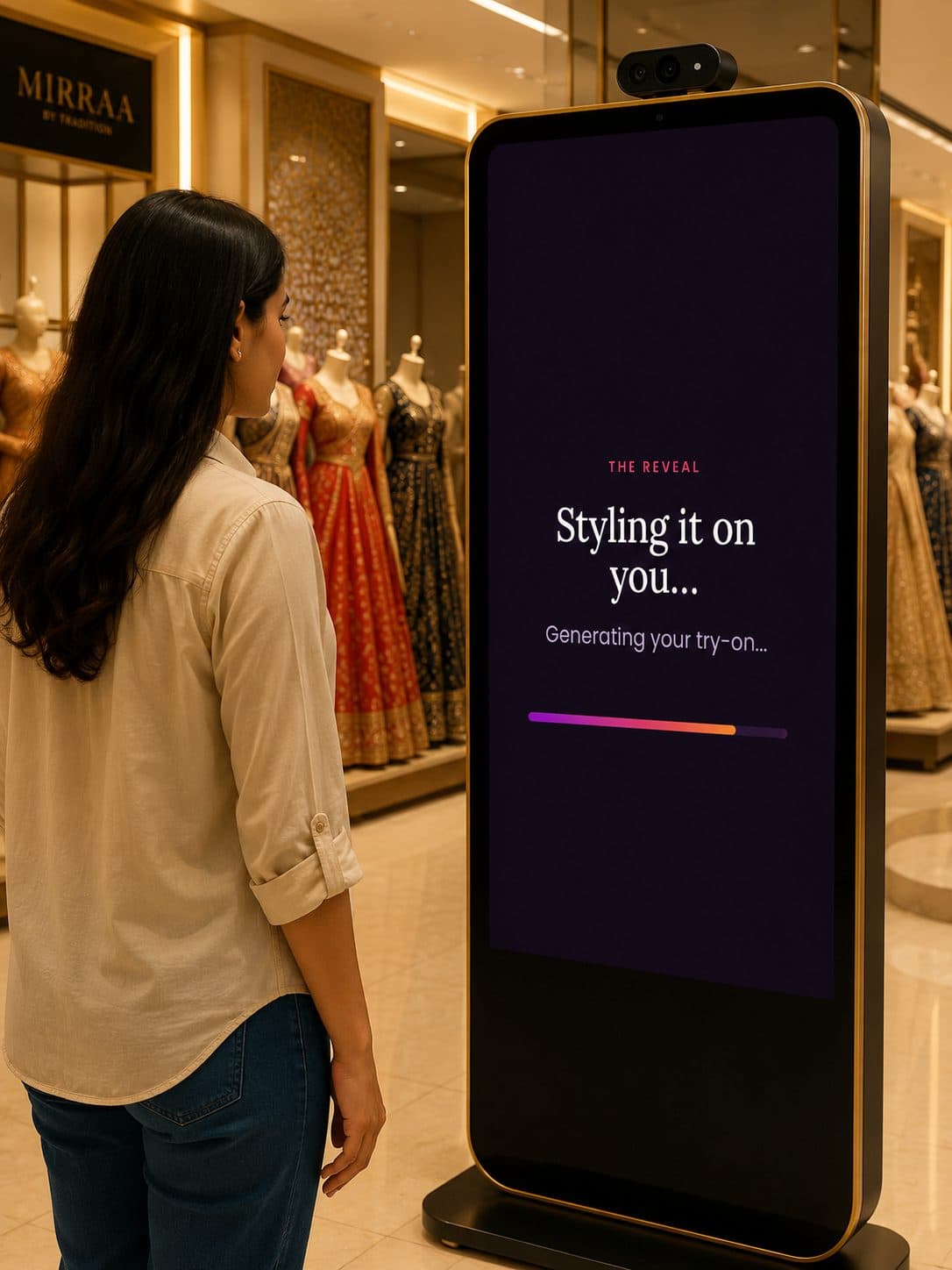
Generating the try-on
The waitA brief, branded moment — “Styling it on you…” — while Mirraa renders the look.
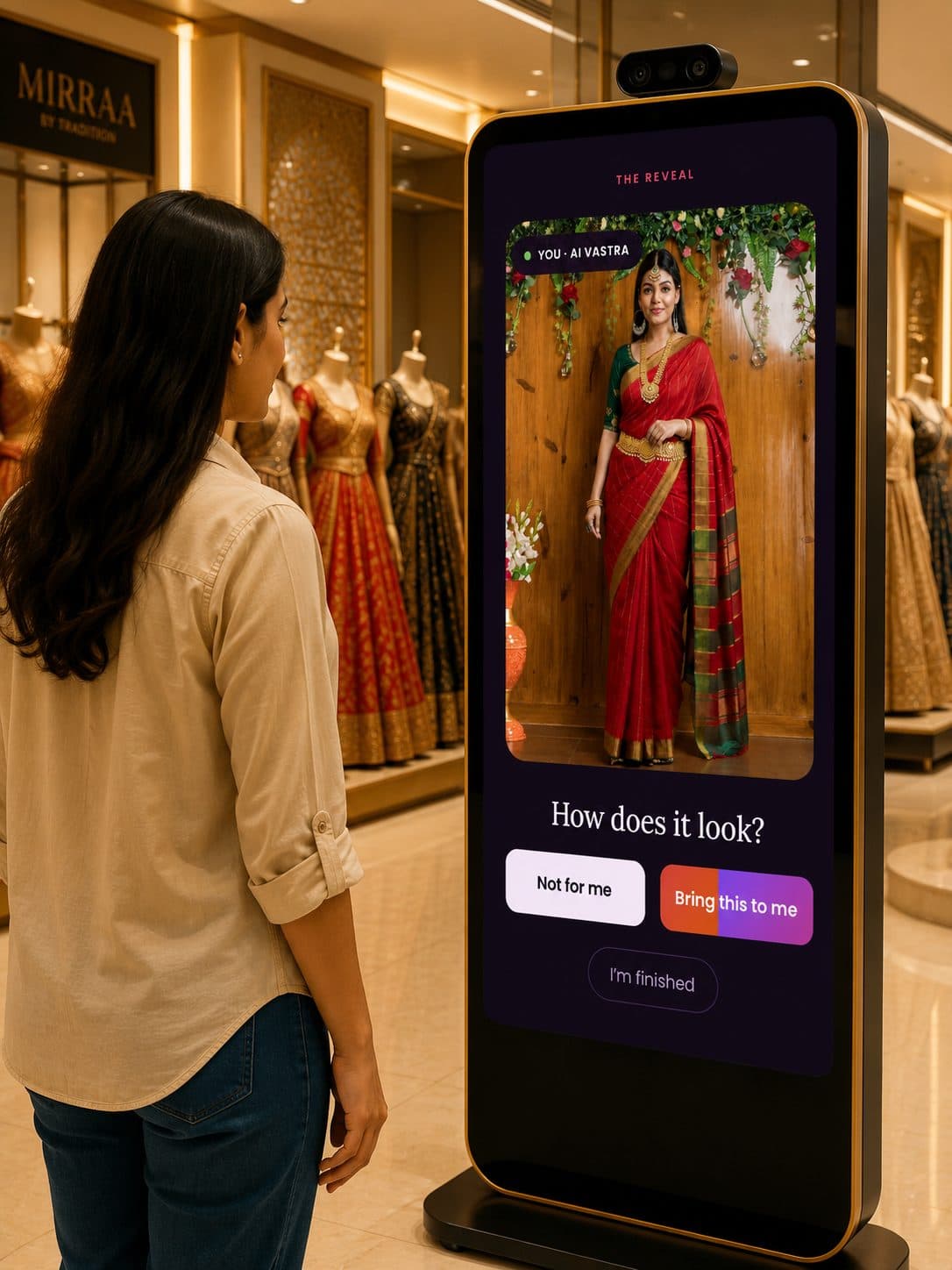
The reveal — garment shown on the shopper
The revealThe look appears on them. One tap — Bring this to me — and it's on your floor.

B — Scan & Go experience

The same journey, on their own phone.

A QR code by the rack runs the full experience in the browser — no app to download, and the request still lands on your floor.
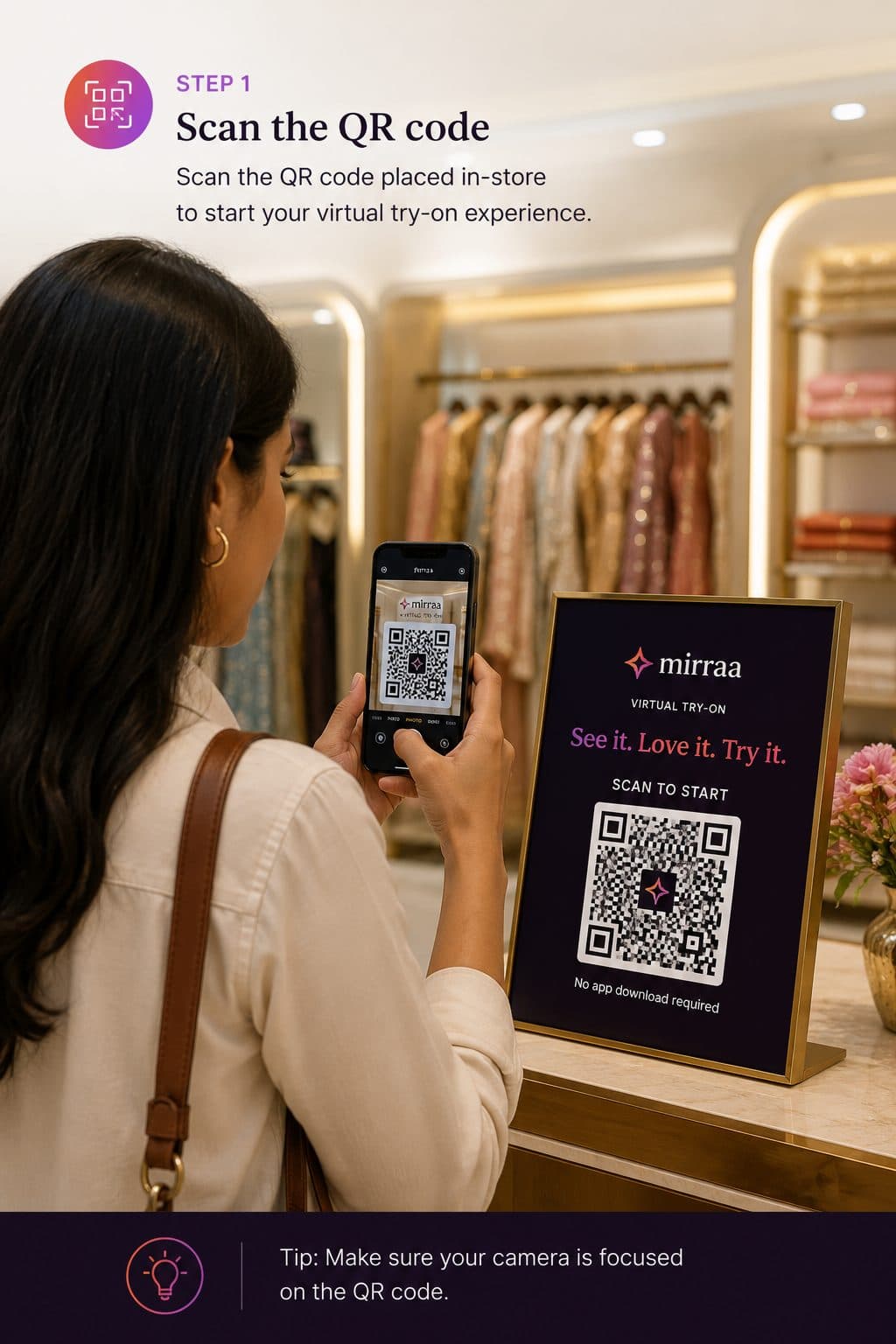
Shopper scanning the in-store Mirraa QR code
Scan the QRThey point their camera at the in-store code and Mirraa opens in the browser.
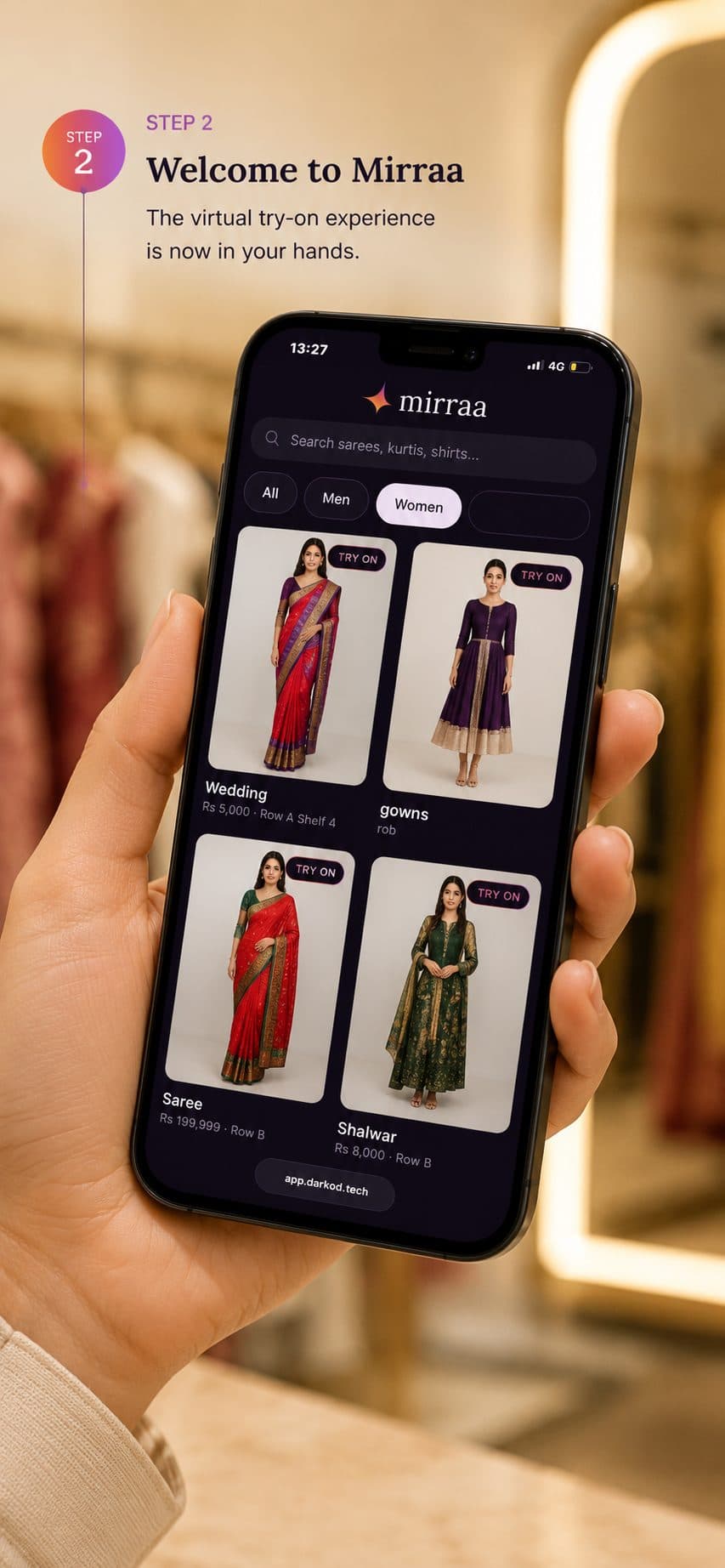
Browsing the store catalogue on a phone
See the catalogueYour live range loads on their phone — search, filter and browse every look.
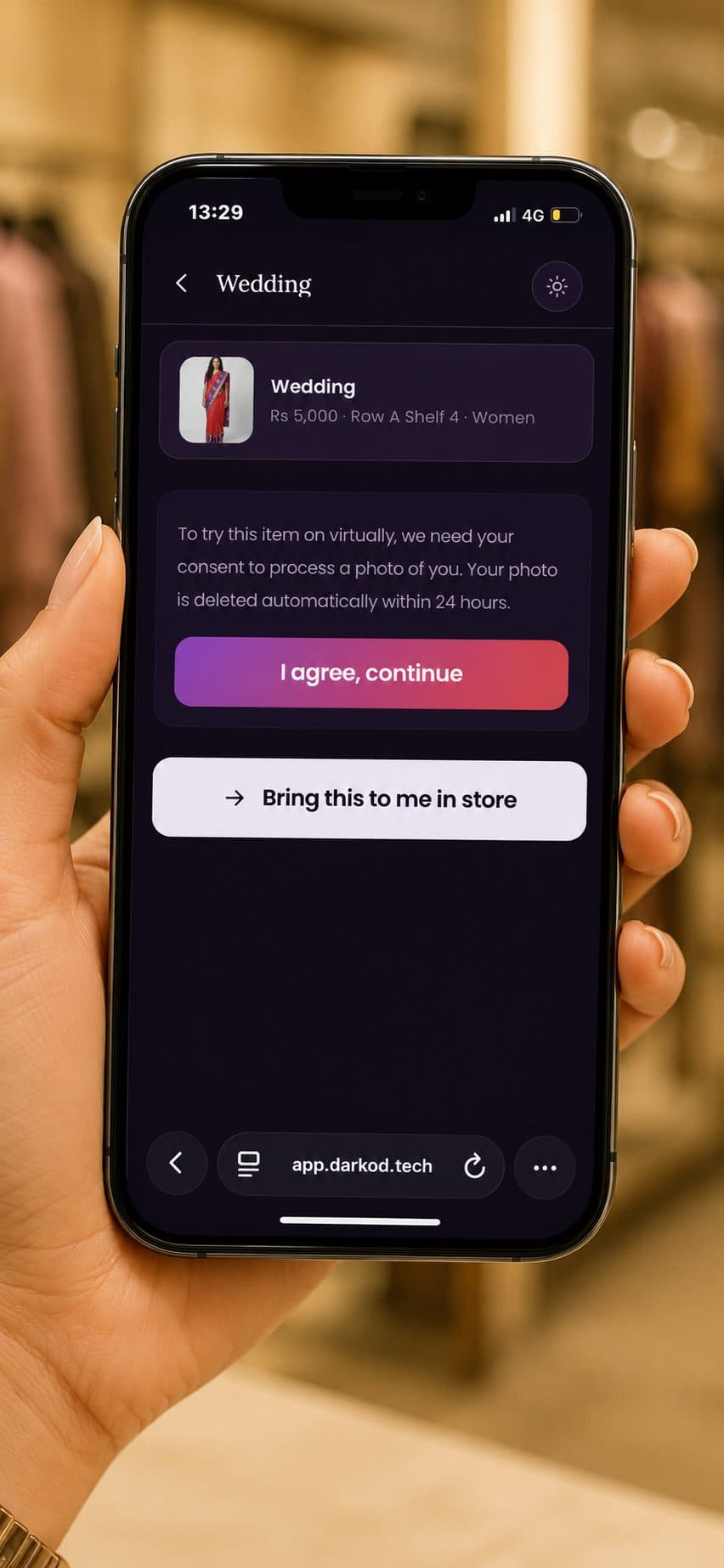
Choosing a garment and giving consent on a phone
Choose the clothThey pick a piece and agree to a quick, privacy-safe photo — deleted within 24 hours.
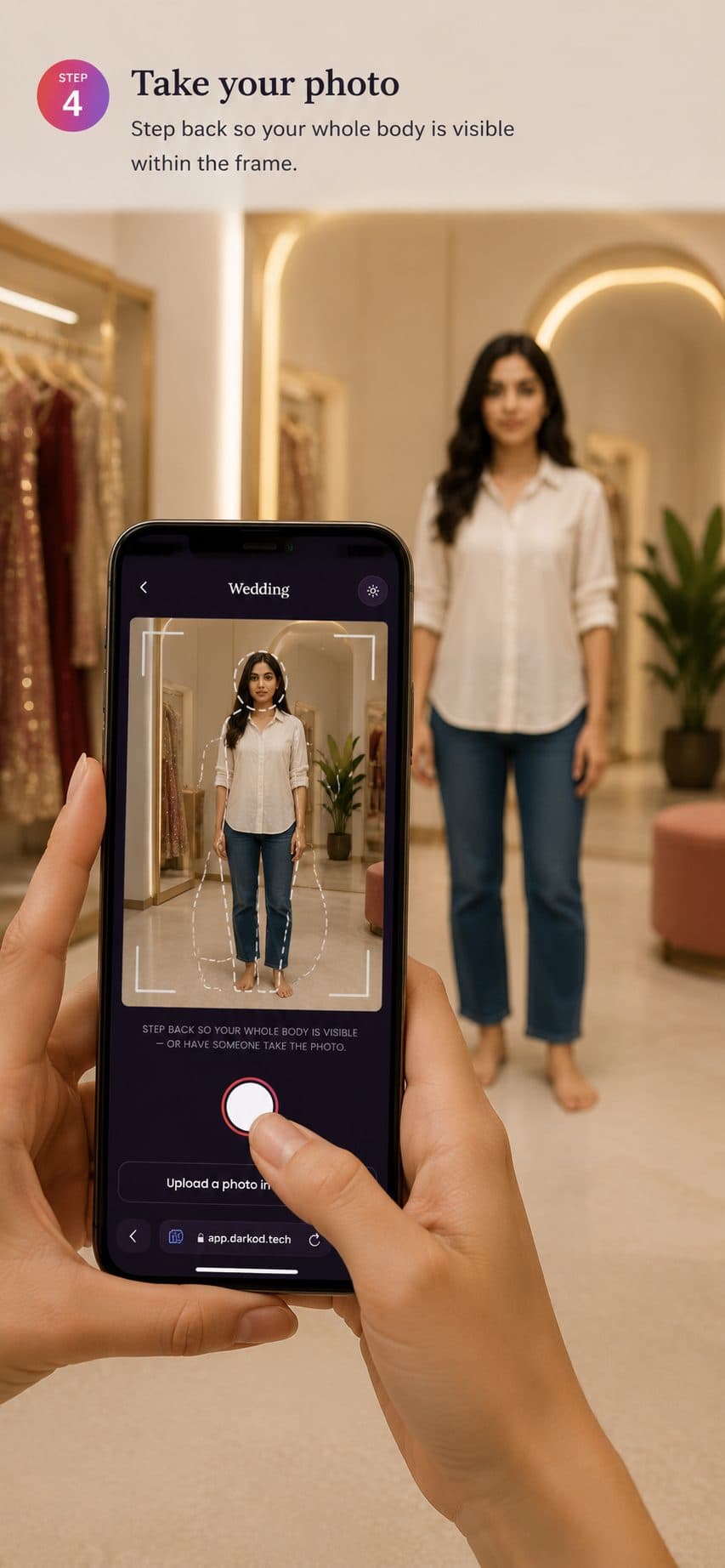
Taking a full-body photo on a phone
Take a photoThey step back for a full-body shot — or have a friend take it. Upload works too.
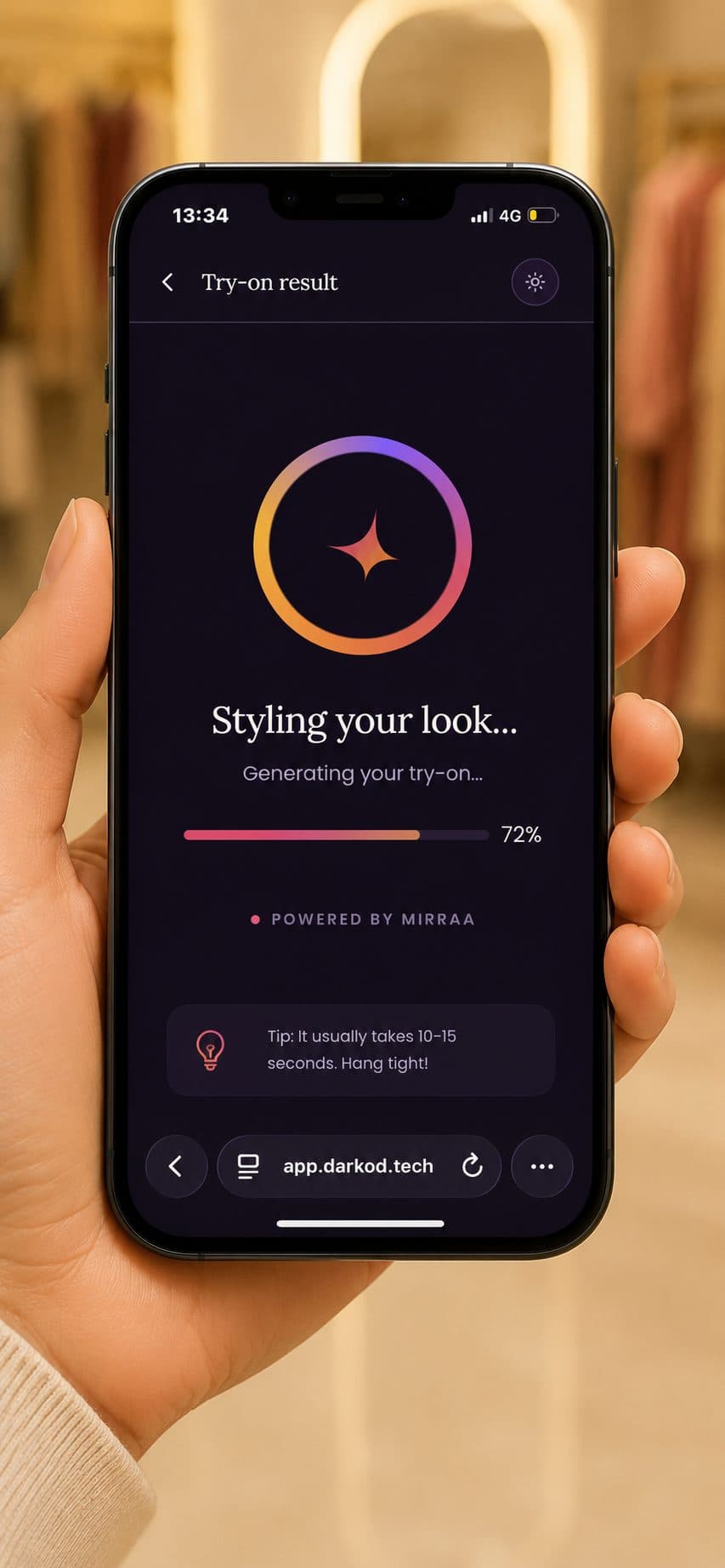
Phone generating the try-on
The waitA short, branded moment while Mirraa renders the look.
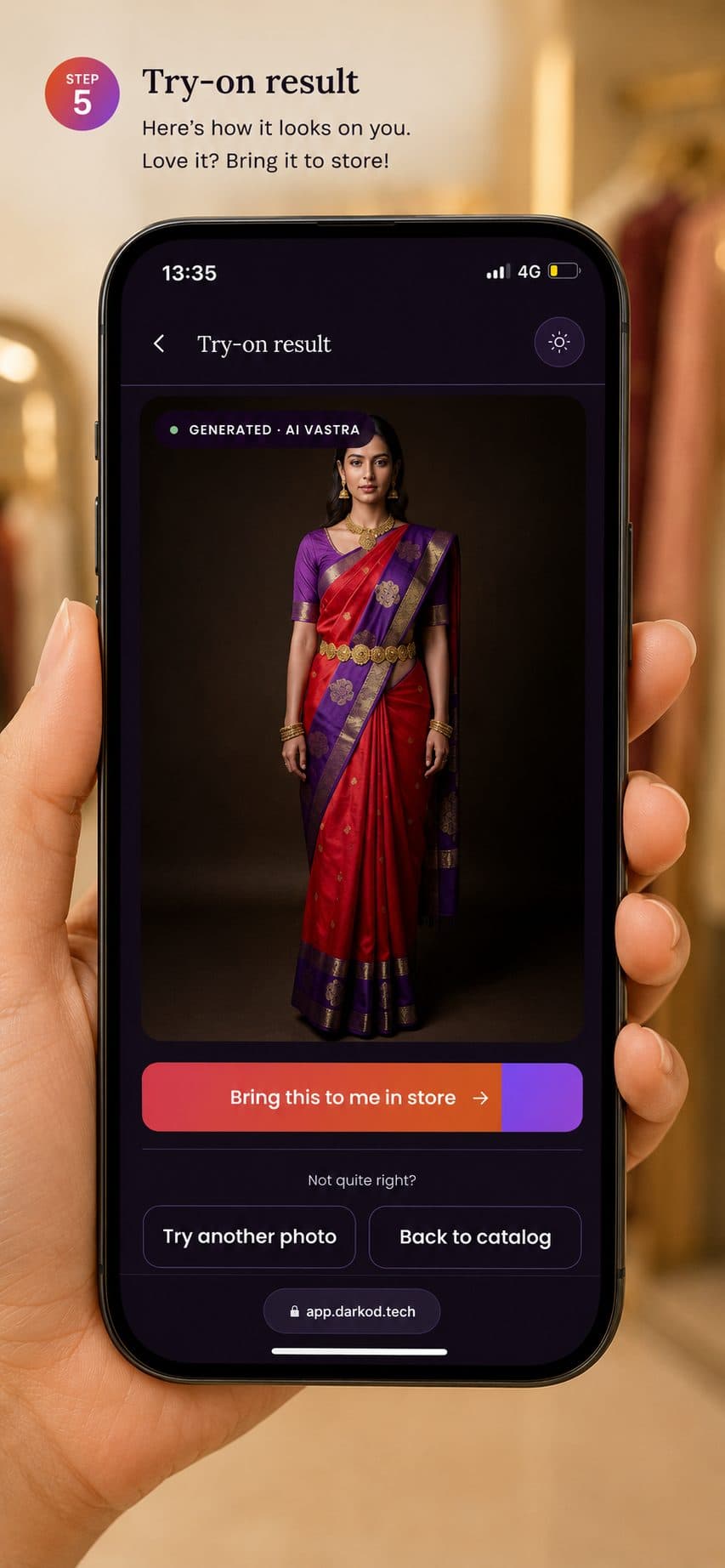
The reveal on a phone — garment shown on the shopper
The revealThe look appears on them. One tap — Bring this to me in store — and it's on your floor.

See Mirraa in action.

Experience the complete virtual try-on journey for your store.

Request a Demo

Next step

Book a 20-minute walkthrough and a live demo on your own stock.

Reach us

hello@trymirraa.com
trymirraa.com